Introducing Flows: design structured AI voice conversations


If you've ever built a phone tree, you know the tradeoff. You get predictability—every caller follows a defined path—but you lose the ability to have a real conversation. And if you've experimented with giving an AI agent full control of a call, you've probably felt the opposite: the conversation is natural, but you can't guarantee it follows your business rules.
We built Flows because we think you shouldn't have to choose. Flows is a new module in Oration that enables you to design complete conversational experiences visually, combining the structure your business needs with the flexibility of AI at every step.
TL;DR
What is Flows, exactly?
Think of Flows as a flowchart where every node is intelligent.
You define the overall shape of a conversation: what happens first, what happens next, where the call should branch, and when it should end. That structure is rigid and predictable—your compliance team can review it, your operations team can sign off on it, and it behaves the same way every time.
But inside each step, an AI agent handles the actual conversation. It listens, responds naturally, adapts to what the caller says, and moves to the next step when the time is right. The structure is yours. The conversation is the AI's.
This is the core idea: you own the "what," and the AI handles the "how."
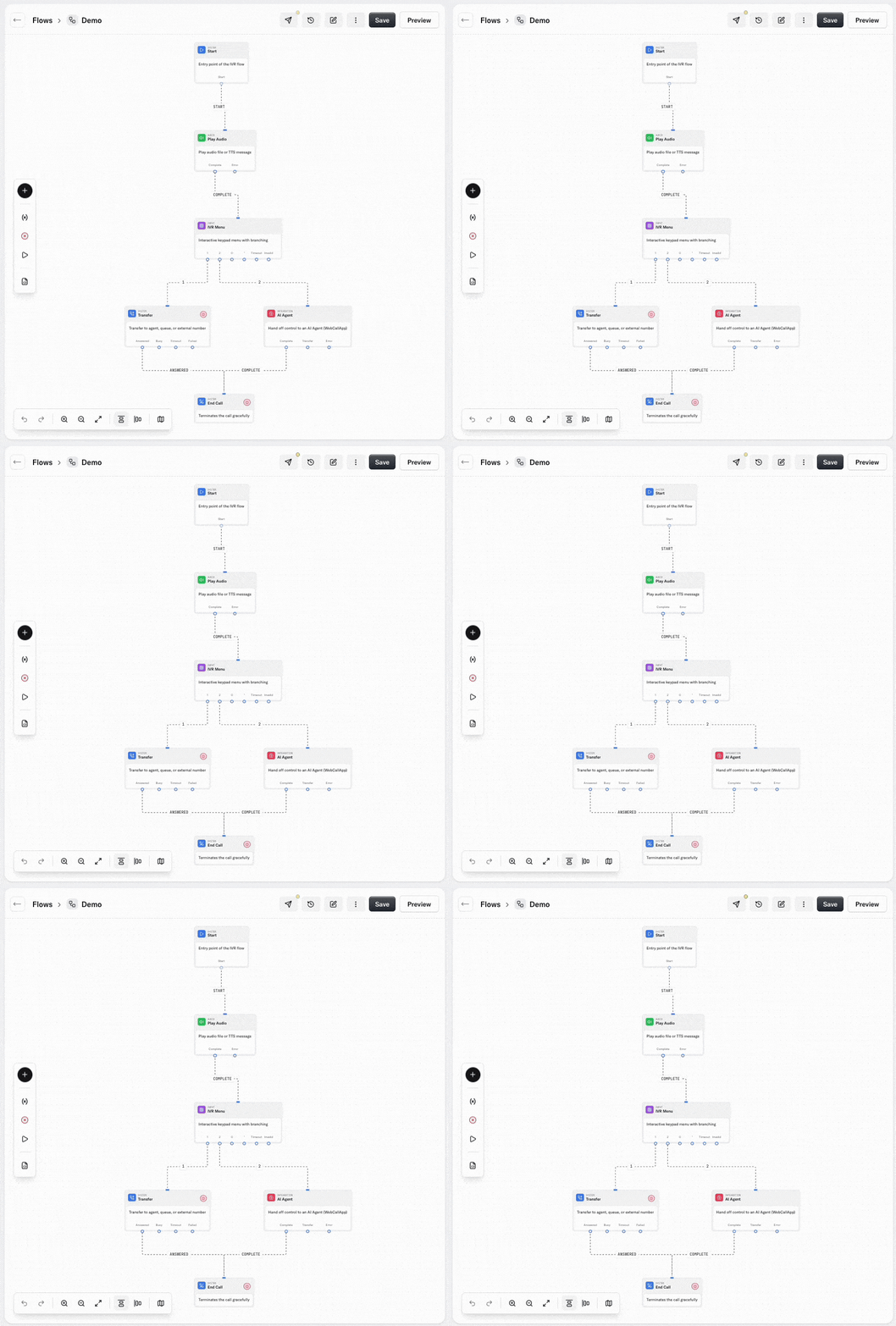
Design conversations visually
Flows is built around a drag-and-drop canvas. Every capability—whether it's an AI agent, an IVR menu, or a webhook—is represented as a node. You connect nodes to build paths, add conditions to create branches, and use loops to repeat steps until a condition is met.
There's no code involved. If you can draw a flowchart on a whiteboard, you can build a flow in Oration. This means your operations and CX teams can own the conversation design directly, without waiting on engineering.
The visual format also makes flows easy to understand at a glance. When someone new joins the team, they can open a flow and immediately see how a conversation works, what the branching logic is, and where handoffs happen. That kind of clarity is hard to get from a script or a prompt.
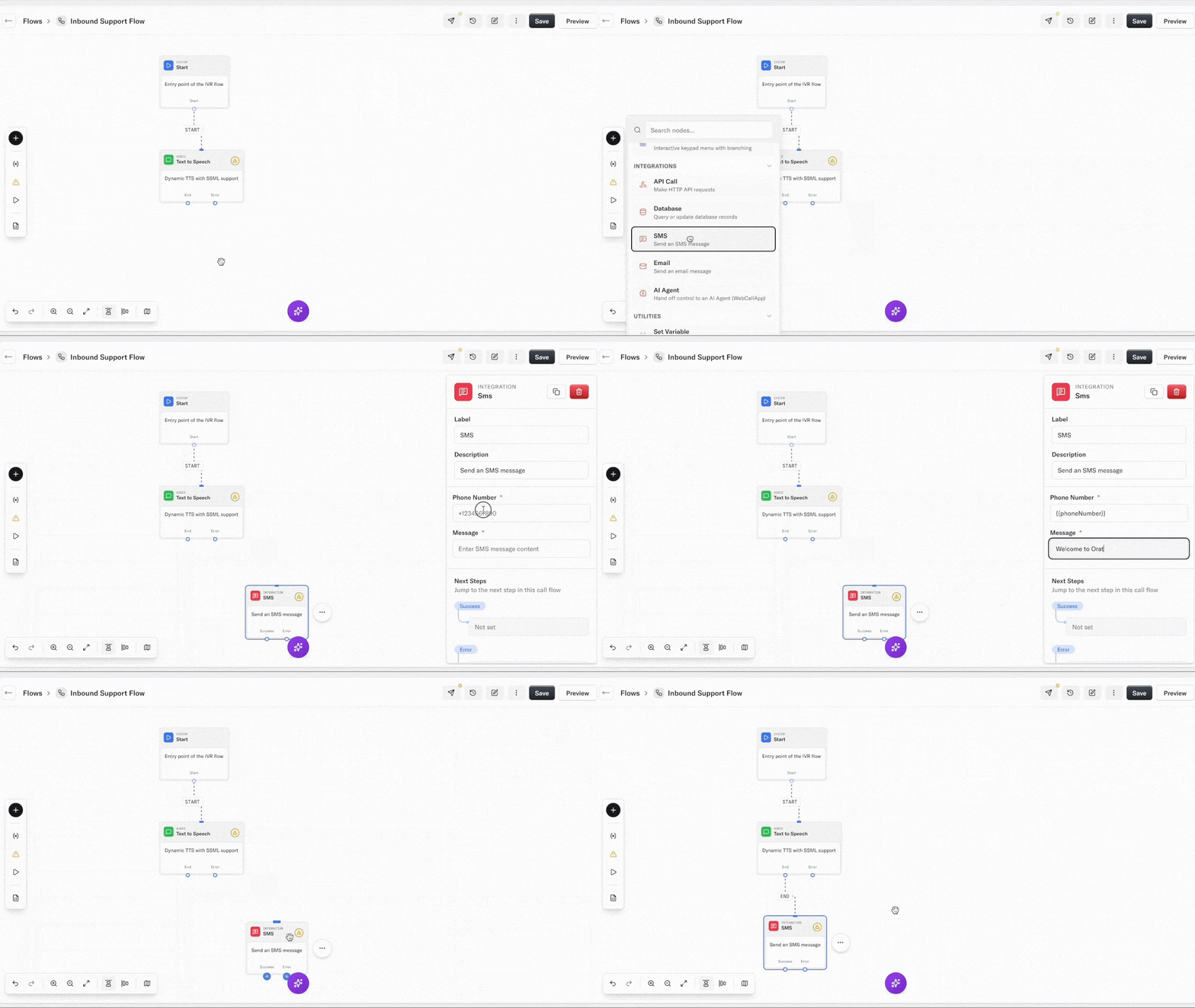
Every element of a call, on one canvas
A customer call isn't just a conversation. It's a sequence of moments—a welcome greeting, a menu, a lookup, a transfer—and each one matters. Flows gives you a node for every element:
- Welcome sounds and music: Set the tone from the first second. You can configure custom greetings and hold music that match your brand.
- IVR menus: Build traditional touch-tone menus for callers who prefer to self-navigate. You can combine IVR nodes with AI nodes in the same flow.
- AI agent nodes: Place an AI agent at any point in the conversation. Give it a prompt, connect it to a knowledgebase so it can reference your files or website content, and let it handle the interaction naturally.
- Tool calls: Enable your agents to take action mid-conversation—look up an order, check an account balance, or schedule an appointment—by connecting to your backend systems.
- SMS and notifications: Trigger a text message or an alert at any point in the flow, like sending a booking confirmation while the caller is still on the line.
The point is straightforward: everything a call might need lives on one canvas. You don't need to stitch together separate tools or platforms.
Multi-agent and human collaboration
This is where Flows gets genuinely interesting.
Most voice AI platforms give you one agent per call. Flows enables you to chain multiple specialized agents together in a single conversation. A greeting agent can handle the opening, verify the caller's identity, and then pass the call—with full context—to a support agent trained on a completely different knowledgebase. Or a sales agent can qualify a lead and transfer it to a closing agent.
Each agent in the chain only needs to be good at its specific job. You're not asking one agent to do everything; you're building a team.
And when AI isn't the right answer, Flows handles that too. The human transfer node forwards the call to a live representative the moment a customer asks for one, or when the flow reaches a point where human judgment is needed. The transition is smooth, and the context from the AI portion of the call comes along with it—so the human agent doesn't start from scratch.
Connect to your existing systems
An AI agent that can talk but can't act isn't very useful. Flows includes webhook and HTTP request nodes that enable your agents to interact with external systems mid-conversation.
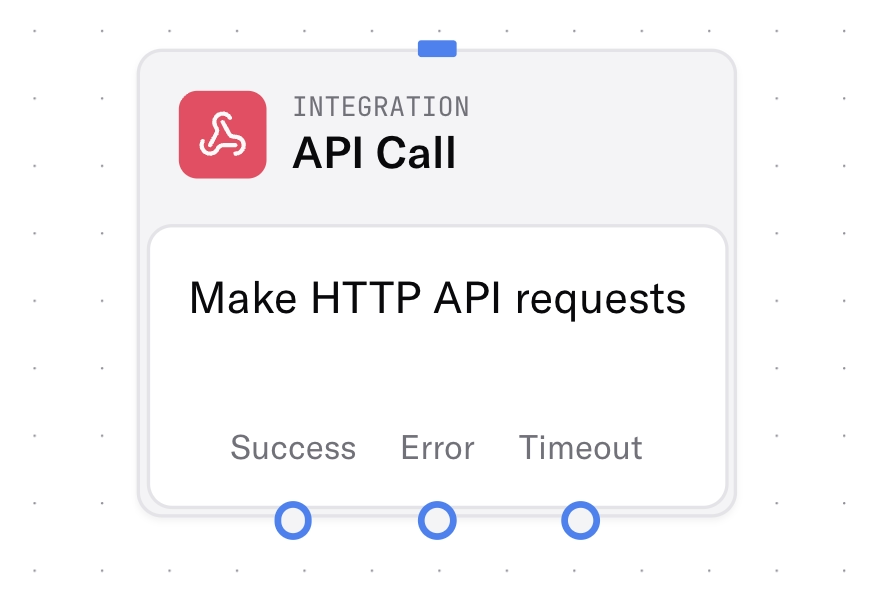
In practice, this means your flow can pull customer data from your CRM before the AI agent even says hello. It can update a lead record based on what the caller said. It can add a contact to an outbound campaign, trigger a follow-up email, or log the call outcome to your analytics platform—all without leaving the flow.
You connect to your systems once, and every flow can use those connections. No repetitive API work, no authentication headaches.
From whiteboard to production in minutes
One of the things we care about most is speed. Traditional IVR changes can take weeks to plan, develop, and deploy. With Flows, your team can make a change and push it live in the same sitting.
A product recall, a billing update, a seasonal promotion—these things require fast adjustments to how your calls are handled. Flows enables you to iterate quickly, test new paths, and adapt based on what you're seeing in real conversations.
You get the speed of a visual builder with the reliability of production-grade infrastructure.
Ready to try it? Head to the Flows section in your dashboard to start building.
Key takeaways
- Phone trees give you structure but kill conversation; unconstrained AI is natural but hard to govern.
- Flows puts every call element—greeting, IVR, AI, tools, SMS, human handoff—on one canvas.
- Multi-agent chains let each agent do one job well, with context carried across transfers.
- CX and operations teams can own conversation design without waiting on engineering.
Frequently asked questions
What is Oration Flows? Flows is a visual module for designing complete call experiences. You define the structure—what happens first, where it branches, when it ends—and an AI agent handles the conversation inside each step.
How is Flows different from a traditional IVR? An IVR is a rigid menu. Flows can include IVR nodes, but each AI node talks naturally while still following the path you designed. Compliance can review the structure; callers still get a real conversation.
Do I need to write code to build a flow? No. If you can draw a flowchart, you can build a flow. Webhook and HTTP nodes connect to existing systems without stitching together separate tools.
Can Flows use more than one AI agent on a single call? Yes. You can chain specialized agents—greeting, support, sales—and pass full context between them. Human transfer is a node, so live agents don't start from scratch.
